
Overview
Content Blocking allows you to prevent third-party iframe content from loading until the user provides consent. This helps ensure that third-party cookies are not set before consent is obtained.
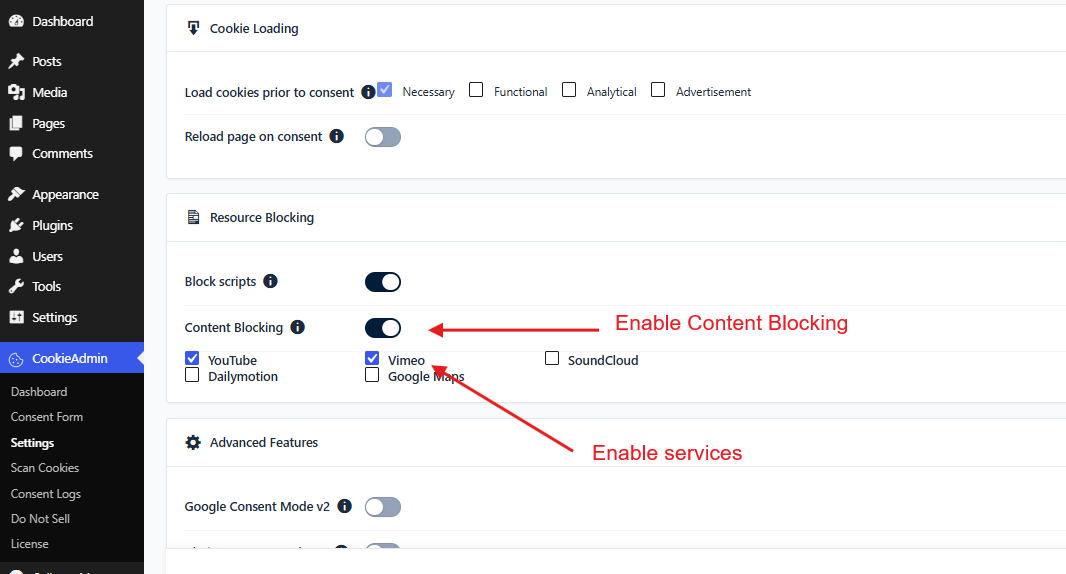
CookieAdmin supports content blocking for popular providers such as YouTube, Vimeo, Dailymotion, and Google Maps.
Enable Content Blocking
Verify Content Blocking
To verify that Content Blocking is working correctly, open a page containing one of the configured iframe services as an end user.
The iframe content will be replaced with a thumbnail or a custom placeholder image along with an Accept button, as shown below.
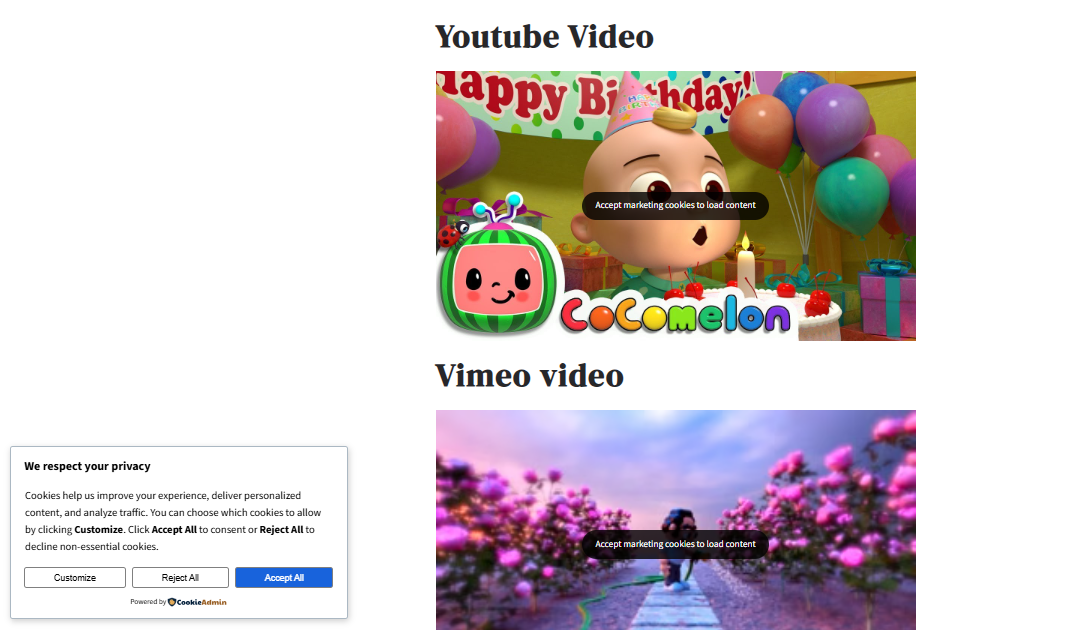
When the user clicks the placeholder or the Accept button, consent for the corresponding cookie category will be granted and the blocked content will be loaded.