
Global Privacy Control (GPC) is a browser signal that allows users to automatically tell websites they do not want their personal data sold or shared.
CookieAdmin enables your website to honor the GPC signal and automatically accept necessary and functional cookies, without the need for user to accept anything making the user experience better.
To enable GPC on your site follow the steps below :-
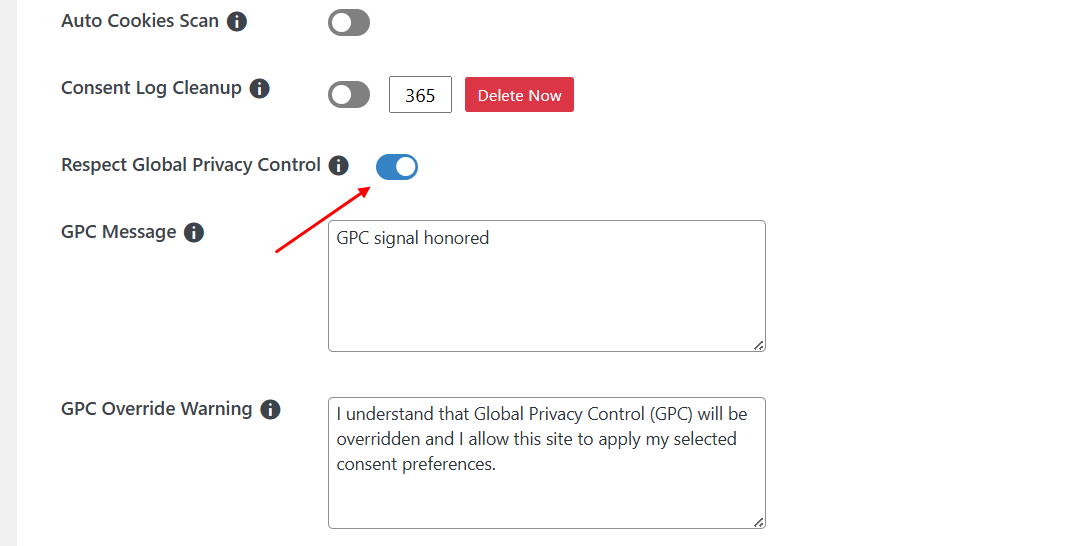
This is all you need to do to enable GPC.
GPC Notification
When a user with GPC enabled in their browser or extension comes to your website, CookieAdmin will show the user a Message Toast to inform the user their GPC signal was honored as shown in the screenshot below.

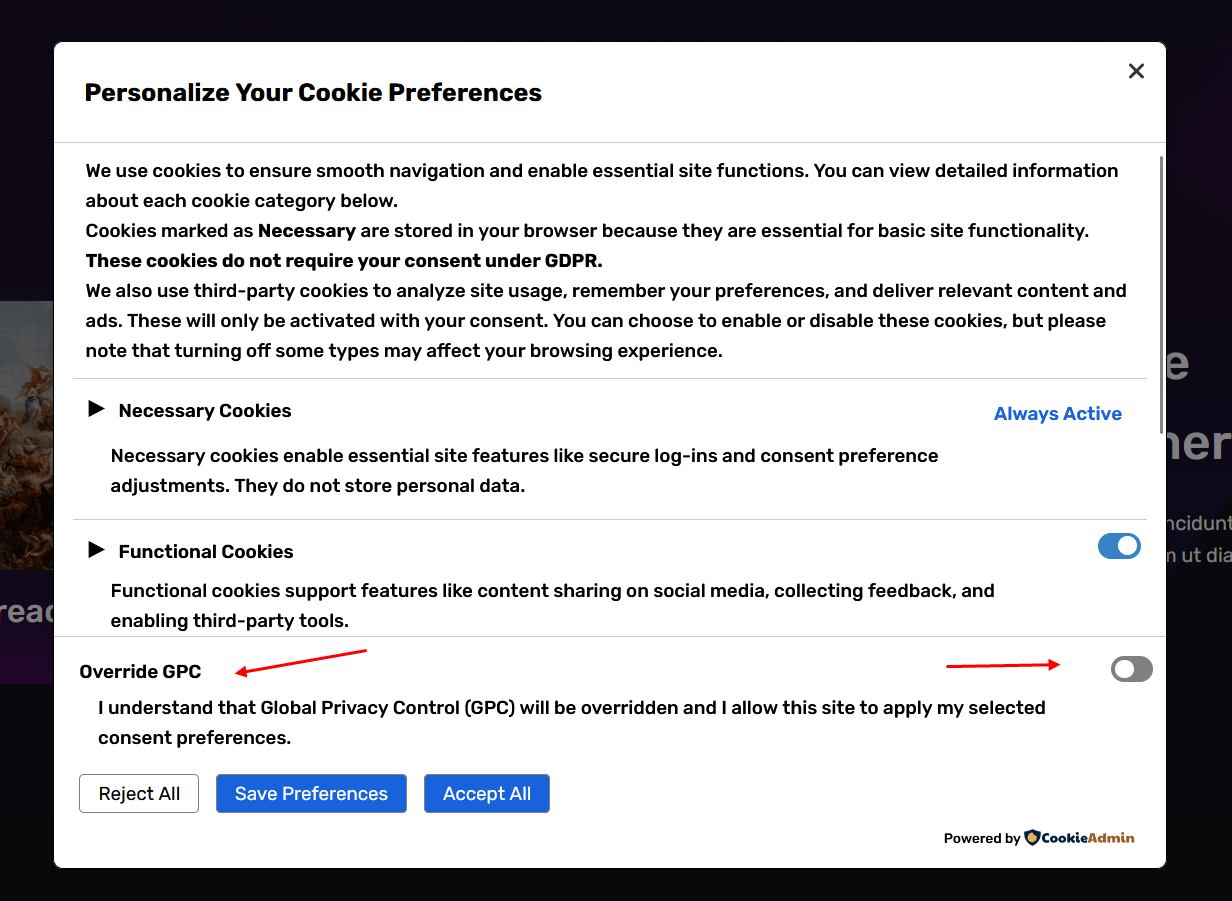
Override GPC
User still has the option to override the GPC signal if the user wants to. They can simply click on the reconsent Icon, and make the preference changes, and then enable Override GPC option as well, that will override the GPC signal.
Once the override is done, the overridden preference will be honored until the expiry of the consent cookie
If you face any issue regarding this feature you can reach out to us at [email protected]