
Overview
Subdomain Consent Sharing is a feature that allows user's cookies and cookie preferences to be remembered across all the subdomains of the primary domain without showing them a consent banner on every single page.
This ensures a smoother user experience and compliance with various privacy laws (like GDPR) under a single consent record.
For example, if consent is given on the blog.example.com then the cookies will be shared across all the subdomains like help.example.com, support.example.com and any other subdomain.
Enable Shared Subdomain Consent
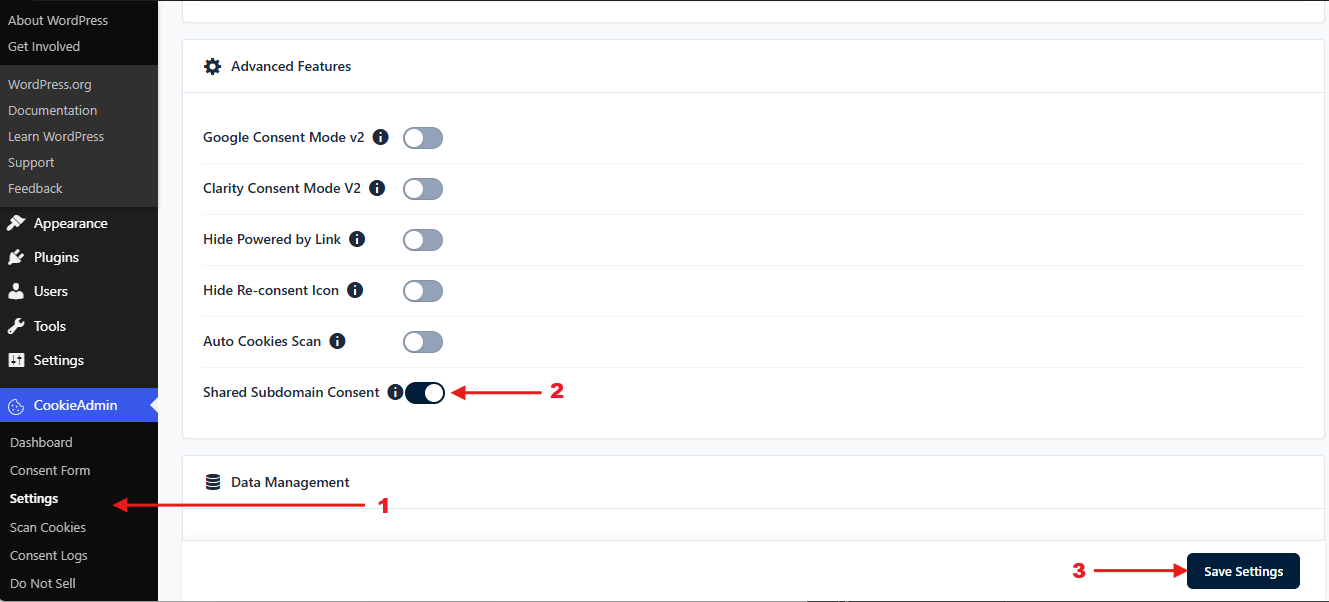
Once enabled, CookieAdmin will begin sharing user's consent across all the subdomains of the primary domain.
Verify Shared Subdomain Consent
To verify if the Shared Consent is working correctly, follow the steps given below -
Note - The domain column for this cookie should be the primary domain (like example.com), not any specific subdomain (like blog.example.com).
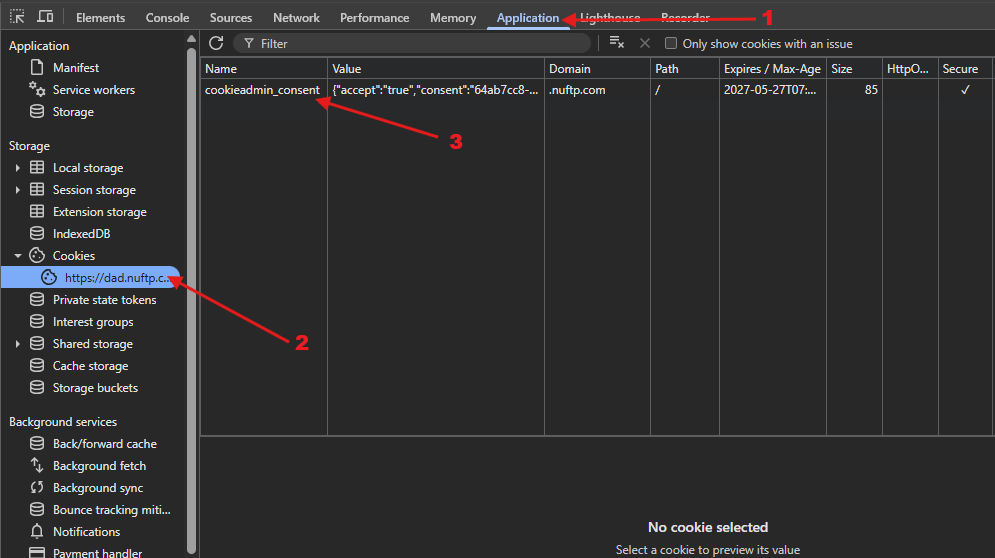
Now, open completely different subdomain, the " cookieadmin_consent " cookie should already be loaded based on your previously saved preferences.
Thats it, If you face any issue regarding this feature you can reach out to us at [email protected]